
During a normal week, you might ship orders the same day they’re placed. During a sale, a product launch, or a peak season, the queue backs up and orders take an extra day or two to process before they ship.
If your delivery estimates don’t reflect this, customers who order during busy periods get inaccurate promises — and complaints follow.
The Challenge With Static Delivery Estimates
Most delivery date solutions use fixed settings: you enter a minimum and maximum number of days, and those numbers apply to every order regardless of when it’s placed or how busy your operation is. This works well when your fulfilment is consistent. It breaks down when volume fluctuates.
A sale that doubles your order volume for three days can push your dispatch schedule back by a full business day. If your estimate still shows the same window it always does, customers who ordered during the rush will receive their packages later than promised.
Practical Approaches to Volume-Adjusted Estimates
True real-time order-volume-based calculation — where the plugin checks your current queue and dynamically adjusts delivery estimates — is a complex, custom-built feature. Most WooCommerce plugins don’t do this automatically, and for most stores, it’s not necessary.
What works in practice is a combination of proactive estimate adjustment and honest communication:
- Adjust your delivery day settings before a known busy period. If you’re running a sale next week, update your minimum and maximum delivery days to add a day or two before the sale starts. QuickShipD’s Delivery tab settings take effect immediately on save — you can update them in 30 seconds and revert them when the rush ends.
- Use a conservative maximum as a buffer. Set your maximum delivery days slightly longer than your typical peak performance. During normal volume, customers often receive orders before the maximum. During busy periods, you’re already covered.
- Communicate proactively during peaks. Add a site-wide notice or banner during high-volume periods letting customers know dispatch may take an extra 1–2 business days. This sets expectations before they see a specific estimate.
Using the Order Cutoff Time as a Dynamic Tool
QuickShipD’s Order cutoff time setting is more powerful than it looks. On any given day, orders placed after the cutoff are calculated as if they were placed the following business day.
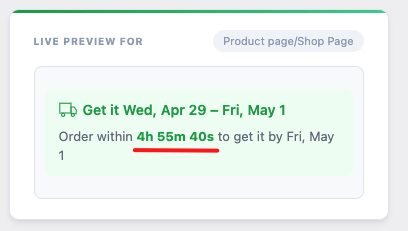
If your queue is running heavy and you know today’s orders won’t go out until tomorrow, temporarily adjusting the cutoff time back — or adding a day to your minimum delivery days — gives you an immediate, accurate adjustment without any complex integration.
| 💡 PRO TIP Create a simple internal workflow: on days when your dispatch queue is running a day behind, update your QuickShipD minimum delivery days by 1 before you start processing. Revert it when you’re back on schedule. It takes 30 seconds and keeps your estimates accurate when it matters most. |
For most WooCommerce stores, disciplined manual adjustment during peak periods is more reliable and operationally practical than automated volume tracking — and it achieves the same result: delivery estimates that customers can actually trust.