
A site redesign or hosting migration is stressful enough without discovering three weeks later that your delivery estimate quietly stopped showing up somewhere it used to. Settings-based plugins are generally safe across a migration, but “generally safe” isn’t the same as “guaranteed,” and this is exactly the kind of small feature that’s easy to forget to check.
Here’s what typically survives a migration or redesign, and what’s worth verifying directly afterward.
What Usually Survives a Standard Migration
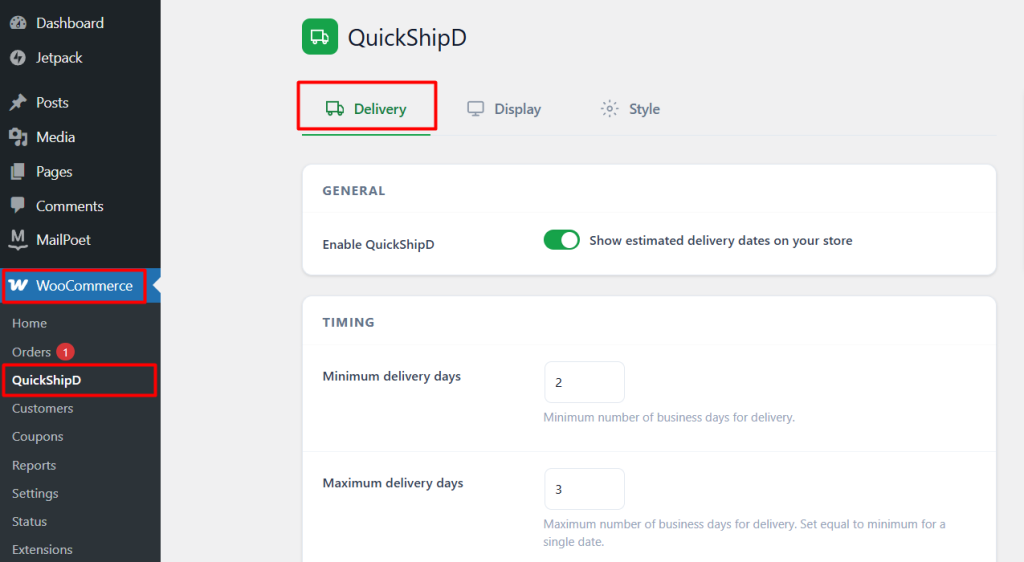
A straightforward hosting migration — moving your entire WordPress database and files to new servers — typically carries your plugin settings along with everything else, since they’re stored in the same database. Your delivery days, cutoff time, holiday list, and display toggles should all transfer intact.
| 🎯 NOTE This applies to a like-for-like migration — same WordPress install, moved to new hosting. A rebuild from scratch on a new platform is a different situation, covered below. |
What a Theme Redesign Can Actually Break
Switching themes, or heavily restructuring your product page layout with a page builder, is the scenario most likely to affect display — not because your delivery settings disappear, but because the theme hook your estimate was displaying through may have moved, changed, or been removed entirely in the new design.
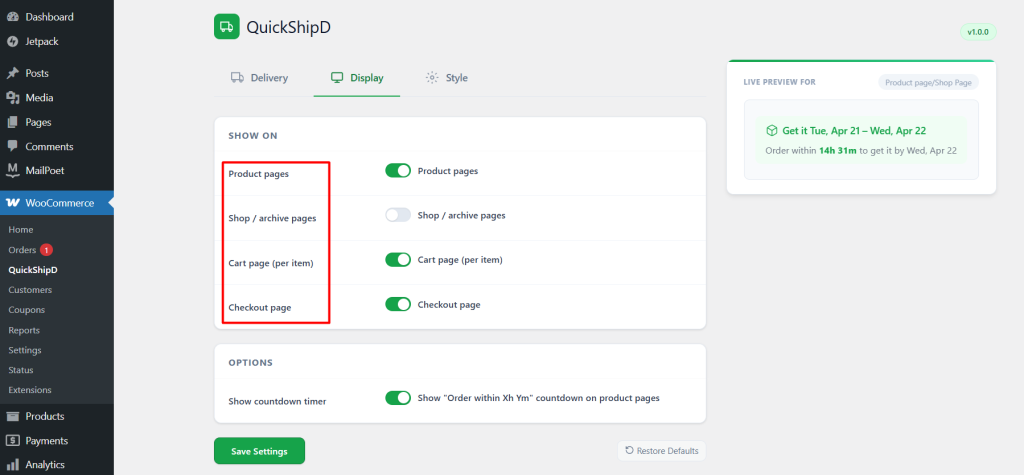
After a theme change, visit each page where you’d enabled display — product, shop, cart, checkout — and confirm the estimate is still showing up in a sensible position, not just that it’s technically still enabled in settings.
| 🚧 IMPORTANT Don’t assume a theme change is complete until you’ve checked delivery estimate display specifically. It’s a small enough element that it’s easy to overlook during a broader visual QA pass focused on bigger, more obvious changes. |
What Doesn’t Survive a Platform Change
Moving off WordPress entirely — to a different eCommerce platform — means starting your delivery estimate configuration from scratch on whatever tool that platform supports, since QuickShipD is a WooCommerce-specific plugin. This isn’t a migration issue so much as a full replacement, worth planning for separately if a platform change is on your roadmap.
Settings Survive, Display Needs a Check
Your delivery estimate configuration typically comes through a standard migration intact, since it lives in your database along with everything else. Display is the piece worth verifying directly, especially after a theme or page builder change that restructures your product page.
A quick visual check across each enabled page after any major site change takes a few minutes and confirms QuickShipD’s estimates are still displaying as expected.