
A one-time purchase and a subscription box are answering two different questions with a delivery estimate. A one-time buyer wants to know “when will this specific order arrive?” A subscriber wants to know “when will my box arrive this time, and every time after?” That second question needs a different kind of answer.
Here’s what changes about delivery estimates for subscription products, and how to handle it without overcomplicating your setup.
Why Subscriptions Break the Usual Calculation
A standard delivery estimate answers “when will this order, placed right now, arrive?” A subscription doesn’t have a single “placed right now” moment — it has an initial signup, then a recurring dispatch date that’s often tied to a billing cycle rather than the original order date.
This means the estimate a customer sees when they sign up (“your first box arrives by Friday”) is a genuinely different calculation from the one that applies to their third, fourth, or twelfth box, which ships on a fixed recurring schedule instead.
| 🎯 NOTE A delivery estimate plugin calculating from “order placed today” logic, like QuickShipD, is built for that first-box moment — the initial signup delivery window. It doesn’t manage the recurring dispatch schedule that follows; that’s typically handled by your subscriptions plugin (such as WooCommerce Subscriptions) instead. |
What to Show at Signup vs. What to Communicate After
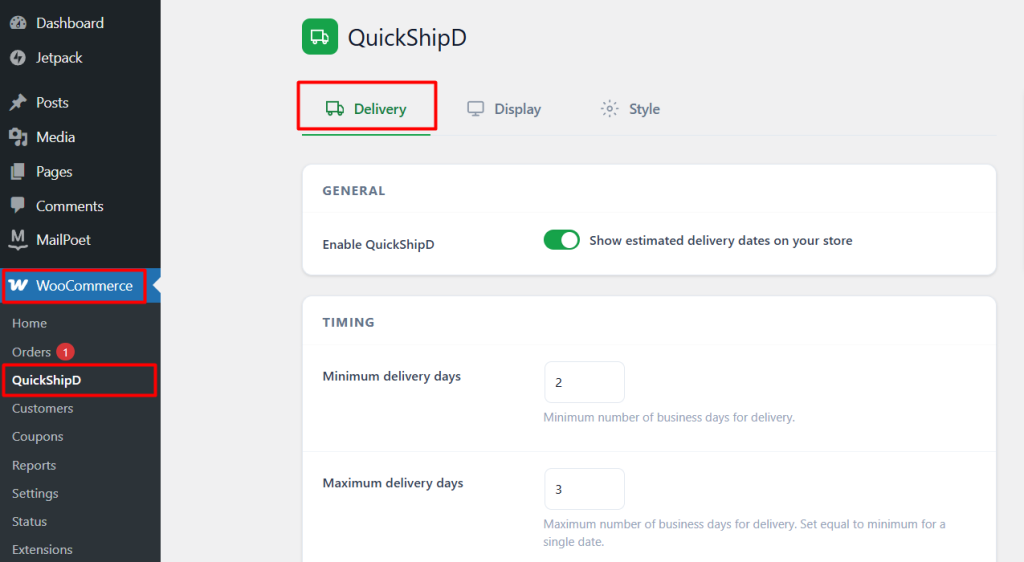
At the signup product page, a standard delivery estimate answers the most common first question: when will my first box show up? This is exactly the scenario QuickShipD is built for, calculated the same way as any other product.
For recurring boxes after the first, the clearer approach is communicating your fixed dispatch schedule directly — “boxes ship on the 1st of each month” — rather than trying to force a dynamically calculated estimate onto a recurring, subscription-driven order.
| 💡 PRO TIP Include your recurring dispatch schedule directly in the subscription confirmation email and account dashboard, separate from the initial delivery estimate shown at signup. Both matter, but they’re answering different questions. |
Handling Holidays and Skipped Cycles
If a recurring dispatch date falls on a holiday or non-delivery day, communicate the adjusted date proactively rather than letting subscribers discover the delay when their box doesn’t arrive on schedule. This is the same principle as any delivery estimate — proactive communication beats silent surprise.
Two Different Questions, Two Different Answers
Subscription delivery estimates work best when you separate the first-box question from the recurring-schedule question, rather than trying to answer both with one mechanism. A calculated estimate handles the first; a clearly stated recurring schedule handles the rest.
QuickShipD covers that first-box estimate accurately, the same way it does for any other product.
Frequently asked questions
Does QuickShipD manage my recurring subscription shipping schedule?
No. It calculates a delivery estimate for an order placed today, which fits the initial signup moment. Recurring dispatch scheduling is handled by your subscriptions management plugin.
Should first-time and recurring boxes show the same messaging?
No — the first box benefits from a calculated delivery estimate, while recurring boxes are better served by a stated fixed schedule since they’re driven by your billing cycle, not the original order date.
What if a customer signs up right before a scheduled dispatch date?
Be specific about whether their first box ships with the upcoming cycle or waits for the next one. This is a common point of confusion worth addressing directly on the signup page.