
You’ve narrowed it down to a handful of WooCommerce delivery date plugins, and now you’re stuck on the same question everyone hits eventually: is the free version actually enough, or am I going to be stuck upgrading three weeks in? It’s a reasonable thing to want to know before you install anything.
The honest answer is that it depends on how many products you’re running and how specific your shipping rules are — not on which plugin logo you pick. Here’s what typically separates free from paid in this category, so you know what to actually check.
What Free Tiers Usually Cover
Most free WooCommerce delivery date plugins, QuickShipD included, cover the core job: a store-wide minimum and maximum delivery day setting, a display toggle for product pages, and basic text customization. That’s enough for a straightforward store with one shipping schedule and no major product-level exceptions.
If every product in your catalog ships on roughly the same timeline, a free tier can realistically be all you ever need. There’s no rule that says you have to upgrade — only upgrade when a specific limitation actually affects your store.
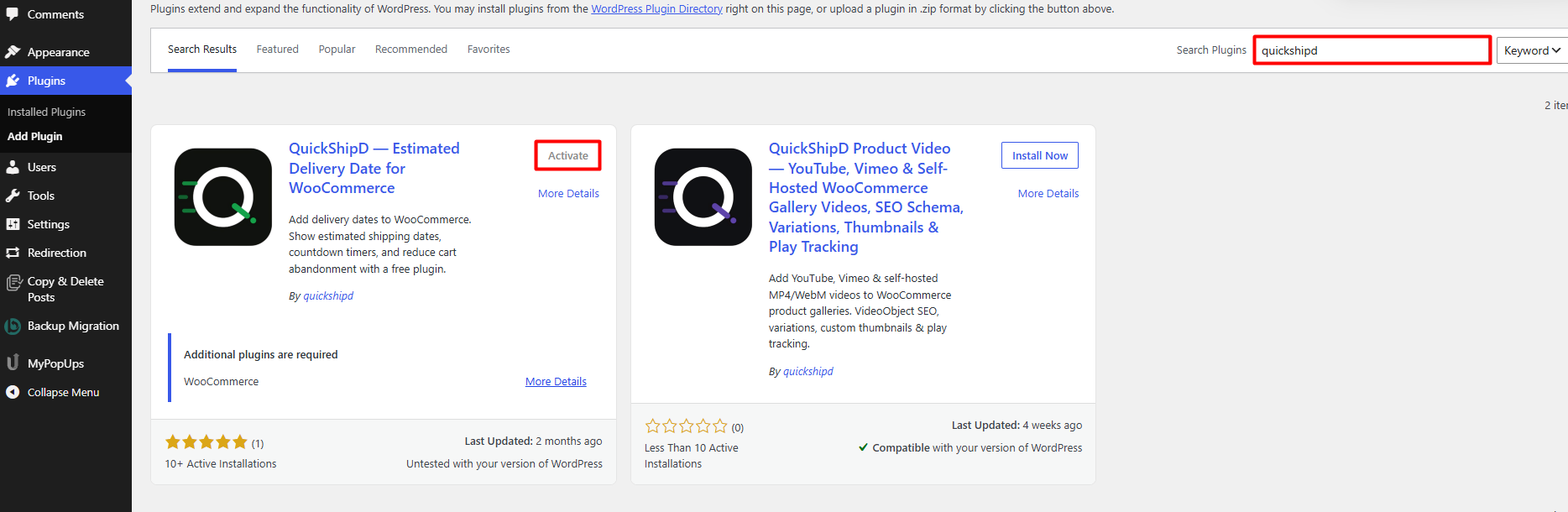
| 💡 PRO TIP Install the free version first and use it for a few weeks before deciding whether you need more. You’ll find out what you’re missing from actual use, not from a features comparison page. |
Where Paid Tiers Typically Add Value
The features that tend to sit behind a paywall across this category are the ones that handle exceptions rather than the default case: per-product delivery day overrides, multiple display locations (cart and checkout, not just the product page), advanced text templating, and priority support.
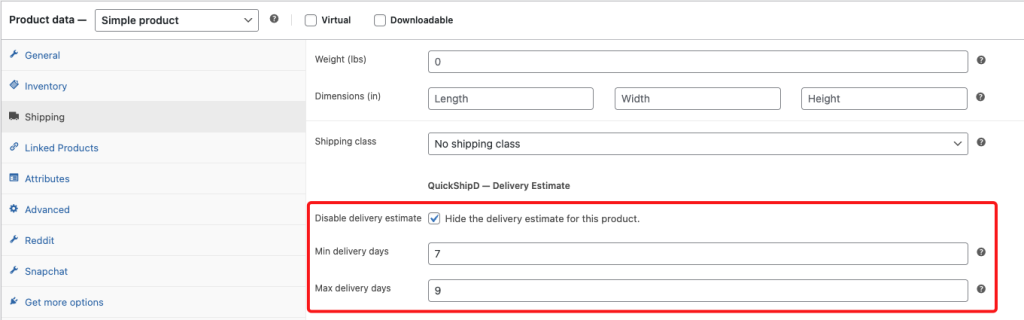
These matter most if your catalog has real variation — some products ship faster, some slower, some need to be hidden from delivery estimates entirely because they’re made-to-order or frequently backordered.
How to Tell Which One You Actually Need
- One shipping schedule, one carrier: a free tier is very likely sufficient
- Mixed product types (made-to-order, freight, express): you’ll want per-product overrides, which usually means a paid tier
- Want the estimate on cart and checkout, not just the product page: check whether that’s gated before assuming it’s included
- Frequent stockouts or backorders: the ability to disable the estimate per product is worth paying for if you hit this often
| 🚧 IMPORTANT Don’t judge a free tier by a features comparison chart alone — charts are written to sell upgrades. Judge it by whether it solves your actual, current shipping setup. |
Where QuickShipD Fits In
QuickShipD’s free version handles the core calculation and display: minimum and maximum delivery days, cutoff time, non-delivery days, holidays, and display across product, shop, cart, and checkout pages, with text and color customization in the Style tab.
One thing to know: if you need per-product delivery day overrides for a catalog with real variation — express items, made-to-order products, different carriers per category — that’s the point where it’s worth checking whether a paid tier fits your specific case better than trying to force one global setting to cover everything.
Start With What You Actually Need
The free-vs-paid decision comes down to how much variation exists across your catalog, not which plugin markets itself best. Install the free tier, use it against your real shipping setup, and upgrade only when you hit a specific limit.
QuickShipD’s free version is built to cover the standard case completely — you’ll know quickly whether you need more.
Still comparing tools? Our tested roundup of WooCommerce delivery date plugins and delivery integration providers breaks down free-vs-paid feature gaps in more detail.