
“Where is my order?” It’s probably the single most common message in your support inbox, and it’s rarely really about the order — it’s about not knowing. The package might be perfectly on schedule. The customer just has no way to tell, so they ask.
Every WISMO ticket costs you time, and enough of them cost you a support hire you didn’t need to make. Most of them are preventable — not with better tracking software, but with better communication before the order ships. Here’s where to focus.
Why WISMO Tickets Happen in the First Place
A customer emails asking about their order for one of two reasons: either something’s actually gone wrong, or they simply don’t have a reference point to check against. The second reason is by far the more common one, and it’s entirely within your control.
If a customer was never shown an expected delivery window, every day that passes after they place the order feels like it could be “too long” — because they have no idea what “normal” looks like for your store.
| ✅ KEY TAKEAWAY Most “where is my order” tickets aren’t logistics problems — they’re communication gaps. Fix the gap, and the ticket never gets written. |
Show the Estimate at Every Touchpoint, Not Just Once
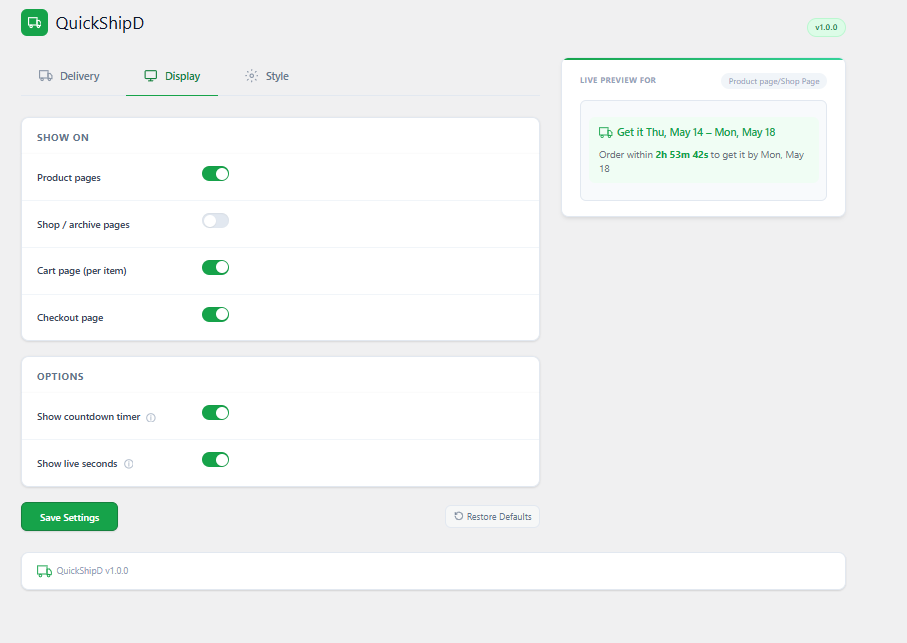
A delivery estimate shown once, on the product page, and never again is easy for a customer to forget by the time they’re wondering about their order three days later. The fix is showing it repeatedly — product page, cart, and checkout — so it reinforces itself at every stage of the purchase.
QuickShipD lets you enable the estimate independently on each of these pages from the Display tab, so the same calculated window follows the customer from browsing through to placing the order.
Add a Countdown So There’s No Ambiguity About Cutoff Times
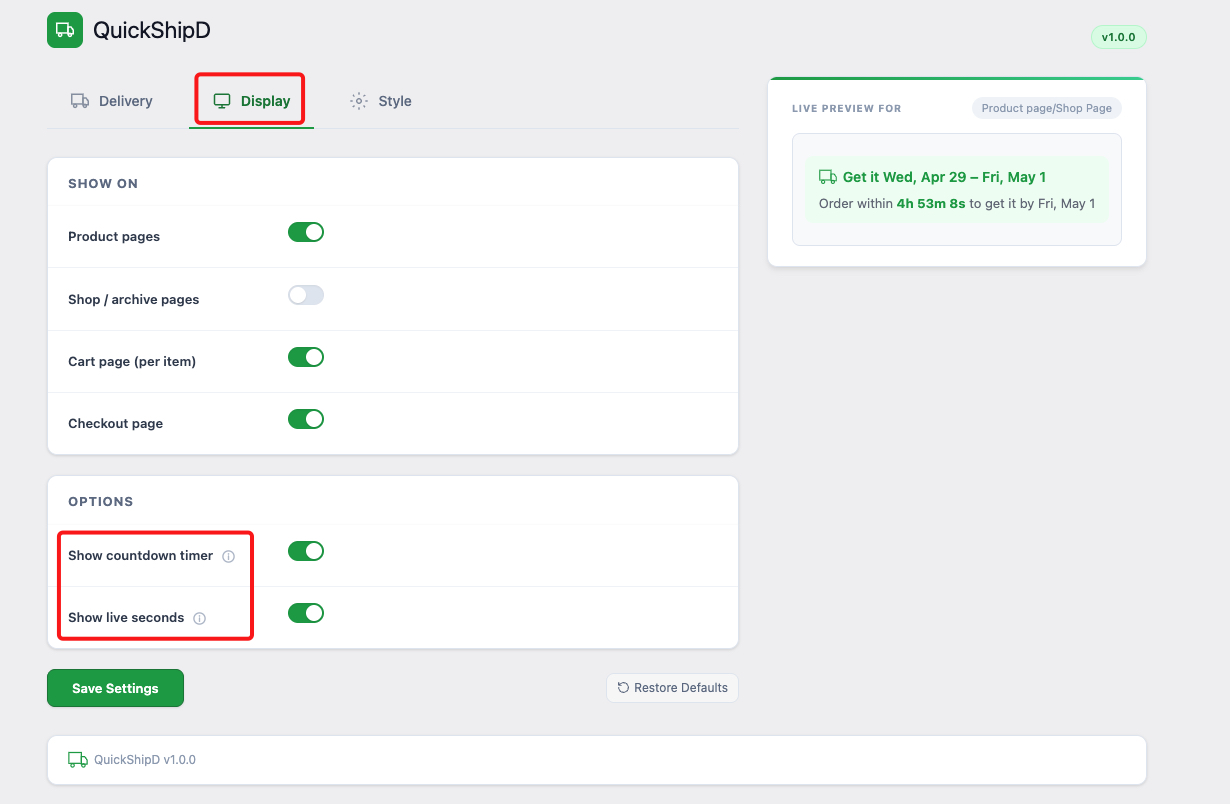
A lot of “why hasn’t this shipped yet” tickets come from a customer who ordered right around your daily cutoff time and isn’t sure which side of it they landed on. A visible countdown removes that ambiguity before it becomes a question.
In our testing, showing a countdown like “Order within 2h 15m to get it by Thursday” does two things at once: it clarifies the cutoff, and it nudges same-day orders forward — a small urgency effect that also happens to reduce ambiguity.
| 💡 PRO TIP Make sure your cutoff time in QuickShipD actually matches your real dispatch schedule. A countdown that promises same-day shipping you can’t consistently deliver creates more WISMO tickets, not fewer. |
Close the Loop in the Confirmation Email
The order confirmation email is the most-opened message a customer gets from you — and it’s also the one most stores forget to put a delivery estimate in. If the customer has a written reference point in their inbox, they check that before they email you.
Whatever estimate you include in the confirmation email, make sure it matches exactly what was shown at checkout. A mismatch here creates confusion even when both numbers are technically accurate.
Fewer Tickets, Less Guessing
Most “where is my order” emails exist because nobody told the customer what to expect. Show the estimate consistently — product page, cart, checkout, and confirmation email — and most of those tickets never get written.
QuickShipD handles the calculation and display across every one of those touchpoints from a single settings screen.