
Print-on-demand doesn’t have a warehouse full of finished stock waiting to ship — it has a blank product that gets printed, sewn, or assembled only after someone orders it. That production step is real time, and if your delivery estimate only counts carrier transit, it’s missing the biggest chunk of the actual wait.
Here’s how to set up accurate delivery estimates for a print-on-demand or custom merch store, where production time is the main variable most default settings don’t account for.
Why Print-on-Demand Breaks a Standard Delivery Estimate
A standard estimate assumes an item is sitting in stock, ready to be picked and packed the same day. Print-on-demand flips that assumption — the item doesn’t exist until the order triggers production, and printing, curing, or assembly can take anywhere from a day to a week depending on the product and your print partner’s queue.
If you’re using a print-on-demand fulfilment partner (rather than printing in-house), their production time is largely outside your direct control, which makes it even more important to base your estimate on their real average, not their best-case marketing claim.
| 🚧 IMPORTANT Never quote your print partner’s fastest possible turnaround as your standard delivery estimate. Production queues fluctuate with their order volume, not just yours — a busy week for them becomes a broken promise for you. |
Setting Delivery Days That Actually Include Production Time
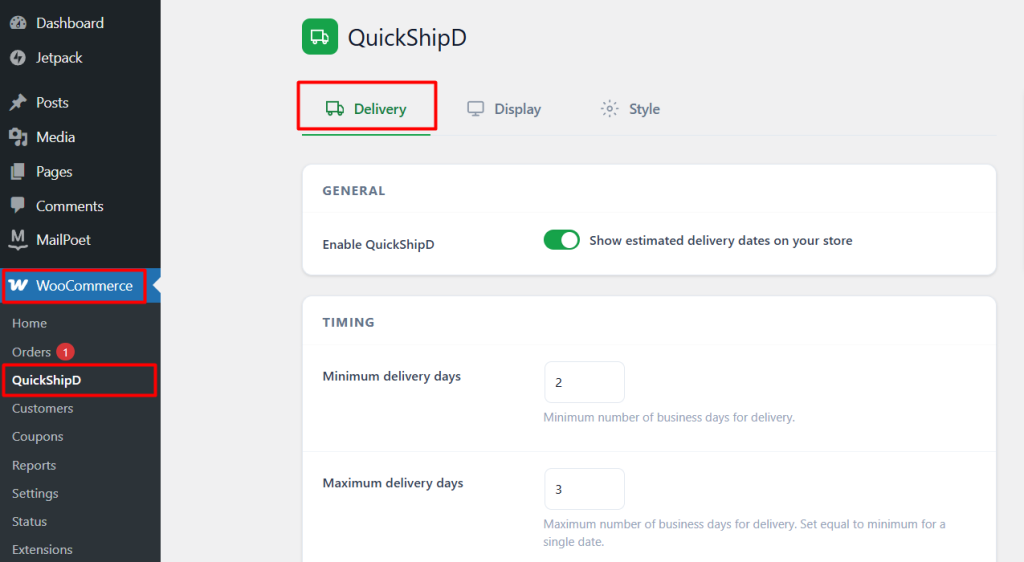
In QuickShipD’s Delivery tab, your minimum and maximum delivery days should reflect the full journey — production plus transit — not transit alone. If a shirt takes 3 days to print and 4 days to ship, your minimum and maximum should be built around a 7-day-plus total, not the 4-day shipping figure alone.
Handling Different Production Times Across Product Types
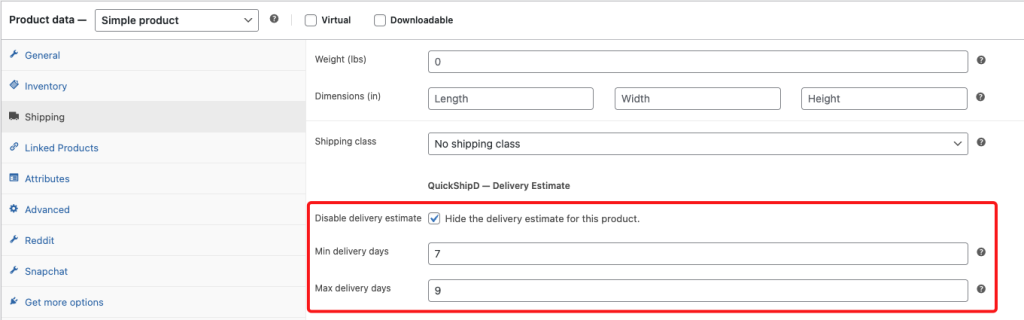
A printed sticker and an embroidered jacket don’t take the same amount of production time, even from the same supplier. Use per-product delivery day overrides to reflect this instead of applying one blended average across a catalog with genuinely different production complexity.
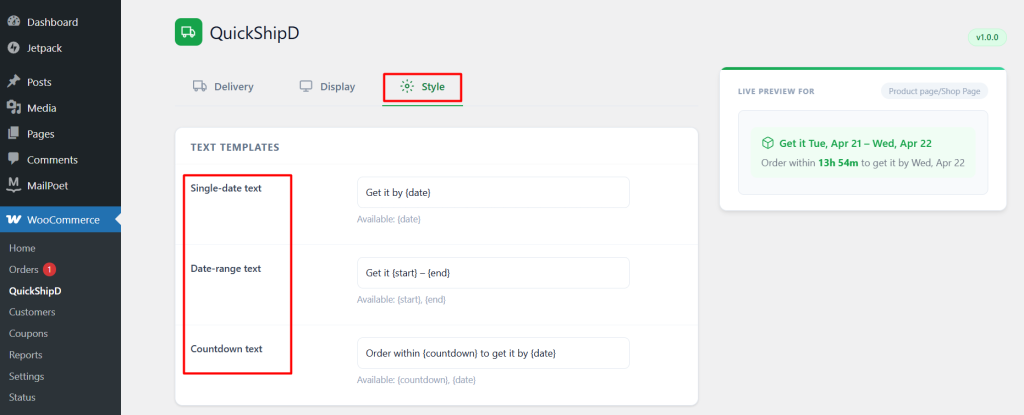
Consider using your text templates to be explicit about what the window includes: “Made and shipped within 5-8 business days” sets a clearer expectation than a bare date that doesn’t hint at the production step involved.
| 💡 PRO TIP Check your print partner’s actual turnaround data every few months, not just when you first set up. Production speed shifts with their overall order volume, especially around gifting seasons when everyone’s demand spikes at once. |
Count the Whole Journey, Not Just the Shipping Part
Print-on-demand delivery estimates work when they include production time as a real part of the calculation, not an afterthought. Getting this right means fewer “why isn’t this here yet” messages for orders that were, in fact, always going to take a week.
QuickShipD’s global and per-product settings give you the flexibility to reflect your real production timeline accurately.