
If you’ve got a developer on staff or on retainer, installing a plugin can feel like the less impressive option — why not just build the exact logic you need? It’s a fair question, and the honest answer is that it depends entirely on how much your specific case actually diverges from the standard one.
Here’s a straight comparison of building a custom delivery date solution versus using an existing plugin, without assuming either answer is automatically right.
What Custom Code Actually Involves
A custom delivery date calculation isn’t just “add a date field” — it means writing logic for minimum and maximum delivery days, cutoff time handling, weekend and holiday exclusion, per-product exceptions, and hooking that display into the right spots on product, cart, and checkout pages. Then testing all of it across your theme.
| 🎯 NOTE None of this logic is exotic — it’s genuinely straightforward date arithmetic. The cost isn’t complexity, it’s the time spent building, testing, and then maintaining something that already exists as a maintained product. |
What You Give Up Building It Yourself
Custom code becomes your responsibility to maintain through every future WooCommerce and WordPress update. A plugin like QuickShipD is maintained independently, tested against new WooCommerce releases, and updated without requiring your developer’s time each time something in the ecosystem shifts.
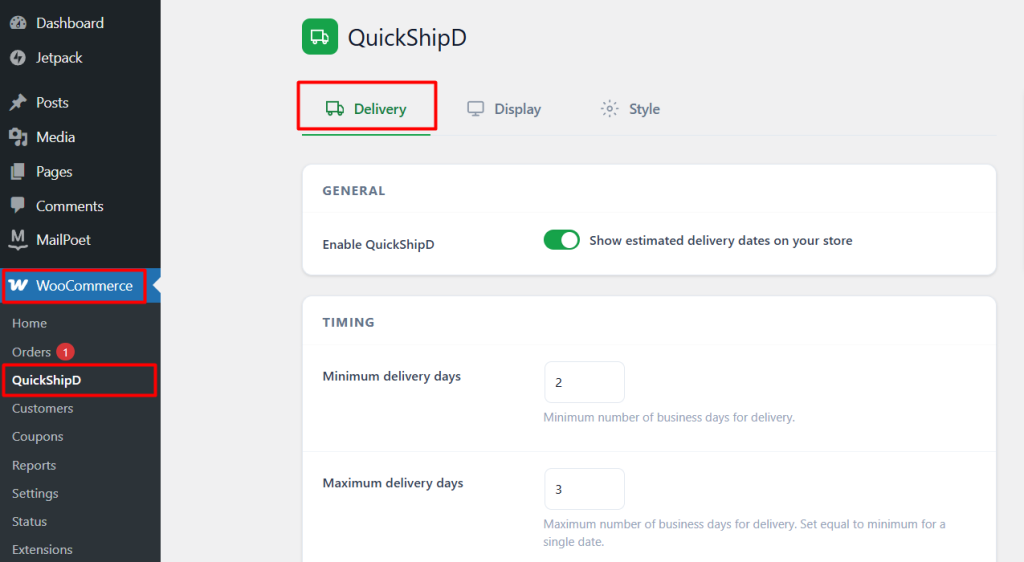
| 🚧 IMPORTANT Custom code that isn’t actively maintained tends to quietly break during a future WooCommerce or theme update — often discovered only when a customer reports a missing or wrong delivery date. Factor ongoing maintenance into the true cost of the custom route, not just the initial build. |
When Custom Actually Makes Sense
If your delivery logic genuinely needs something no existing plugin offers — tight integration with a proprietary warehouse management system, real-time capacity-based cutoffs, or logic specific to a business model existing plugins weren’t built for — custom development is the right call. That’s a genuinely different situation from wanting the standard calculation with a specific look.
Even then, it’s worth checking whether a plugin’s settings, combined with per-product overrides, get you 90% of the way there before committing to a full custom build for the remaining 10%.
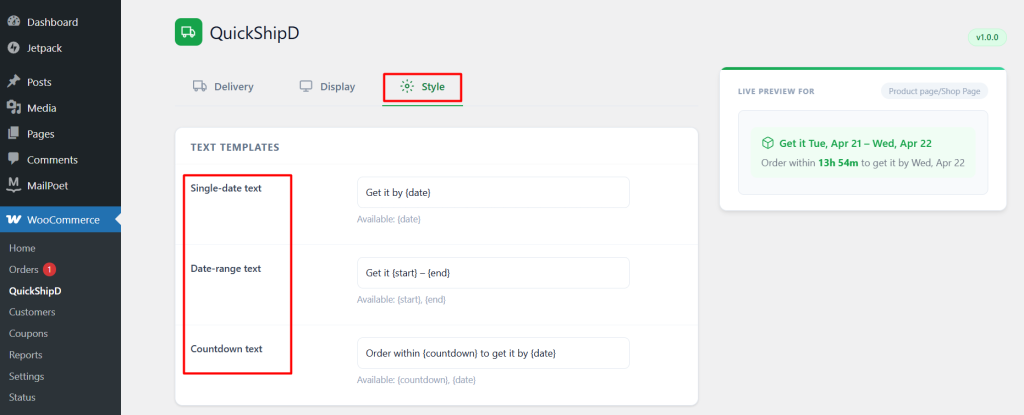
| 💡 PRO TIP Before greenlighting a custom build, have your developer spend an hour with the plugin’s actual settings first. A surprising number of “we need custom code for this” requirements turn out to already be covered by an existing setting or override. |
Check the Settings Before You Write the Code
Custom delivery date logic makes sense for genuinely unusual requirements, but most stores’ needs — even ones that feel specific — are already covered by a well-configured plugin’s settings and per-product overrides.
QuickShipD covers the standard case and a fair amount of the edge cases, without the ongoing maintenance burden of custom code.