
If you’ve switched your cart and checkout pages over to WooCommerce’s newer block-based versions, you’ve probably also run into the frustration of an older plugin that just stops showing up where it used to. Shortcode-based cart and checkout pages work differently under the hood than the block versions, and not every plugin made the jump cleanly.
Before you install a delivery date plugin — or troubleshoot one that’s already installed — here’s what to know about block compatibility, and specifically where QuickShipD stands.
Why This Even Became a Question
WooCommerce’s Cart and Checkout blocks render differently from the classic shortcode-based pages — they’re built on the block editor framework rather than traditional PHP templates. Plugins that hook into the old template structure don’t automatically show up in the new block-based layout without specific support for it.
This has created a real gap across the WooCommerce plugin ecosystem: plenty of otherwise solid extensions haven’t been updated to render inside the new blocks, which means store owners either stay on classic checkout longer than they’d like, or lose a feature they were relying on.
| 🎯 NOTE You can check which version you’re running under WooCommerce → Settings → Advanced → Cart & Checkout. If “Use the block-based checkout” is enabled, you’re on the newer system. |
What to Check Before You Rely on Any Delivery Date Plugin
Whichever plugin you’re evaluating, don’t assume compatibility — verify it directly on a staging copy of your site before going live. Add a test product to your cart, go through checkout, and confirm the delivery estimate actually renders where you expect it to.
- Check the product’s changelog or support page: look specifically for mentions of “cart block” or “checkout block” compatibility
- Test on a staging site first: never verify block compatibility for the first time on your live store
- Check both cart and checkout separately: a plugin can support one and not the other
Where QuickShipD Stands
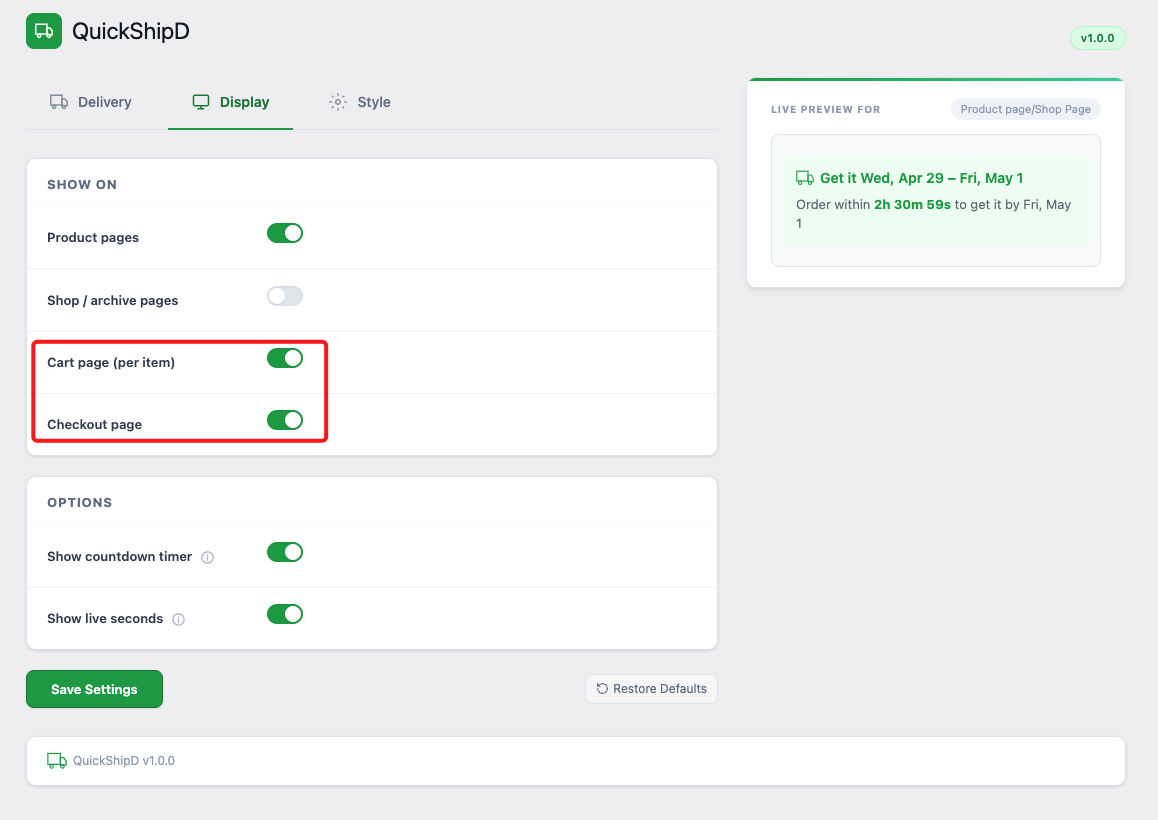
QuickShipD’s cart and checkout display was built and tested against WooCommerce’s classic, shortcode-based cart and checkout pages. If your store is running the classic setup — which is still the default for the majority of WooCommerce installs — the delivery estimate displays as expected in both locations.
One thing to know: if you’ve switched to the newer block-based cart and checkout, confirm the display on a staging copy before relying on it in production, the same way you would with any plugin in this category. Block support across the ecosystem is still catching up, and it’s worth five minutes to verify rather than assume.
| 💡 PRO TIP The product page display — where most of the conversion impact happens — isn’t affected by this at all, since it’s independent of the cart and checkout template type. If block compatibility turns out to be limited, you’re still covering the highest-value placement. |
Verify Before You Rely On It
Block compatibility is a real and reasonable thing to check before adopting any WooCommerce plugin, not just a delivery date one. Test it on staging, confirm it on both cart and checkout, and you’ll know exactly where you stand before it matters.
QuickShipD’s product page display — the highest-impact placement — works regardless of which checkout system you’re running.