
A shopper lands on your product page, looks around for a few seconds, and leaves without clicking anything — not even add to cart. That’s a bounce, and it happens before cart abandonment even becomes a possibility. Something in that first glance didn’t give them a reason to stay.
Missing delivery information is one of several things that can quietly contribute to this. Here’s how it connects, and where to look if your product pages are seeing high bounce rates.

What’s Happening in Those First Few Seconds
A shopper scanning a product page is quickly checking whether it’s worth their time to keep reading: is this the right product, is the price reasonable, and increasingly, will it arrive when I need it. If that third question has no visible answer, some shoppers won’t stick around to dig for it — they’ll assume the answer is unfavorable and check a competitor instead.
| 🎯 NOTE Bounce rate has many contributing factors — page speed, design, pricing, product fit — and a missing delivery estimate is unlikely to be the only cause of a high bounce rate on its own. It’s one input worth checking, not a guaranteed fix by itself. |
Why Placement Above the Fold Matters Here Specifically
If a shopper never scrolls far enough to see your delivery estimate, it can’t help with a bounce decision that happens in the first few seconds. This is different from cart abandonment, where the shopper has already engaged enough to add an item — bounce happens before that engagement even starts.
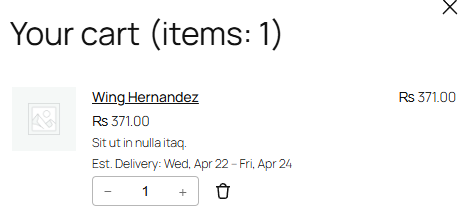
Placement directly below the price and above the add-to-cart button, which is where QuickShipD displays the estimate by default, keeps it visible without requiring any scrolling on most product page layouts.
| 💡 PRO TIP Check your own product page on both desktop and mobile to confirm the delivery estimate is actually visible without scrolling. Some themes push elements below the fold differently depending on screen size. |
Treat It as One Input, Not the Whole Picture
If you’re troubleshooting a high bounce rate, check your delivery estimate visibility as one item on a broader list — alongside page load speed, image quality, and whether the product content actually answers what a shopper is looking for. Fixing one input rarely solves a bounce rate problem entirely on its own.
Answer the Question Before They Leave
A shopper who bounces without seeing your delivery information never got the chance to be reassured by it. Keeping the estimate visible without scrolling gives it a fair shot at answering the question before the shopper decides to leave.
QuickShipD displays it directly below the price by default, in exactly that above-the-fold position.